

How it works
Three steps, one evening, and a plan you can keep.
01
Set your goals
Say what you want from 2027 and roughly when. One to three goals, each with a finish line, is plenty. If you'd rather not start from a blank page, a Blueprint sets up the projects and first tasks for you.
02
Aurum checks they fit your real week
It adds up the work and compares it with what you actually finish in a typical week, then says plainly: it fits, it's tight, or you're overcommitted. When it doesn't fit, you get the earliest date that does.
03
Share your plan, or look back on your year
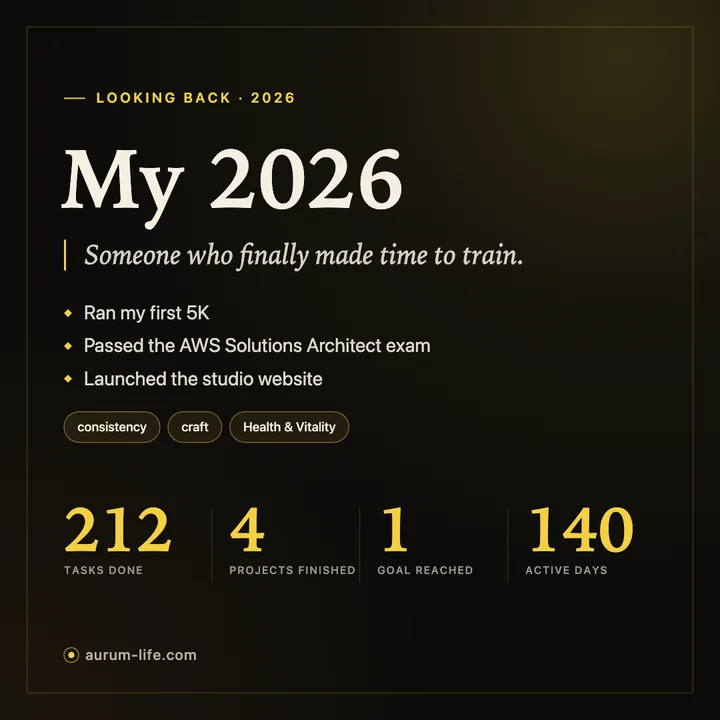
Make a card of your plan for next month, quarter or year, or look back on a week, a month, a quarter or the whole year. Square or wide. You choose every line on it.
Looking back
What actually happened, in your own words.
A look-back card is built from what you finished: the tasks done, the projects closed, the goals reached, and the line you'd use to sum the year up.
If a period is too thin to say much, Aurum tells you and suggests a shorter one or your plan instead, so you never post an empty card.
Yours to share, or not
The card is made on your computer. Nothing is uploaded.
Made on your computer
Aurum draws the card and saves it as an image wherever you choose. It isn't sent to us or kept anywhere else. Where it goes next is up to you.
You pick every line
Your goals, your headline and your themes stay off the card until you tick them. Counts such as tasks done start ticked, and you can untick any line. Leave everything personal off and it still reads well.
Nothing is uploaded
Making or saving a card sends nothing about what's on it. If you said yes to usage counts, Aurum counts that a card was saved and which kind (looking back or ahead, the period, square or wide), and nothing more.
The details are in the privacy policy.

Planning on paper first? Read the New Year planning guide →